Case study02
Operational product
המחלבה
One working system for scheduling, management workflows and day-to-day operations, from a person’s next shift to the operation as a whole.
01The context: An operation runs on states: who is on, who is off, what is covered.
המחלבה is an operational workforce product, built around scheduling, management workflows and day-to-day operations.
Shifts, leave, duties, reports and coverage are read at different levels: a person checking their next shift, a team looking at its week, and a manager looking at the operation as a whole. The product brings them into one system and gives each level a view of its own.
| Home | Team Week | Manager area | Mobile | |
|---|---|---|---|---|
| Your next shift | Home | Mobile | ||
| Who is on it | Home | Mobile | ||
| Reports | Home | Mobile | ||
| The week ahead | Home | Team Week | ||
| Shifts, leave and duties | Team Week | |||
| Grouping by role | Team Week | |||
| Previous, current and next shift | Manager area | |||
| Coverage | Home | Manager area | Mobile | |
| Emergency mode | Manager area |
02The operational picture: The next shift comes first.
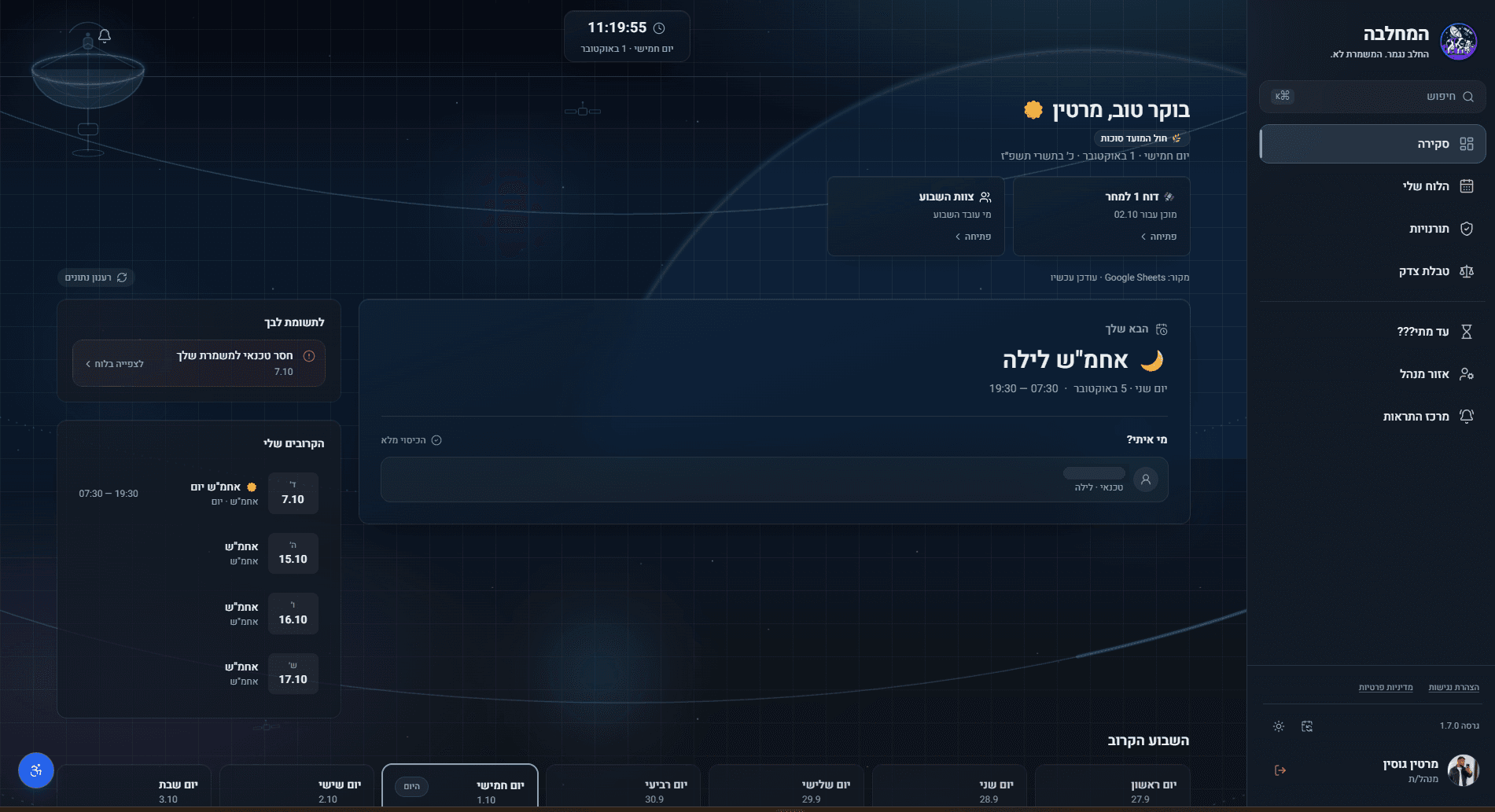
Home opens with a greeting and the date. Under them comes the next shift: its name set large, then the day and the hours, and who is on it in the same card.
- The next shiftIts name set large, with the day and the hours beneath it.
- Who is on itThe people on the shift, each with a role. The names are removed here.
- CoverageStated in words, beside them.

03Built around the week: The whole team’s week, in one view.
Team Week sets out shifts, leave and duties across the week: a row for each day, a column for each person, and the columns grouped by role. In the public version the names are removed.
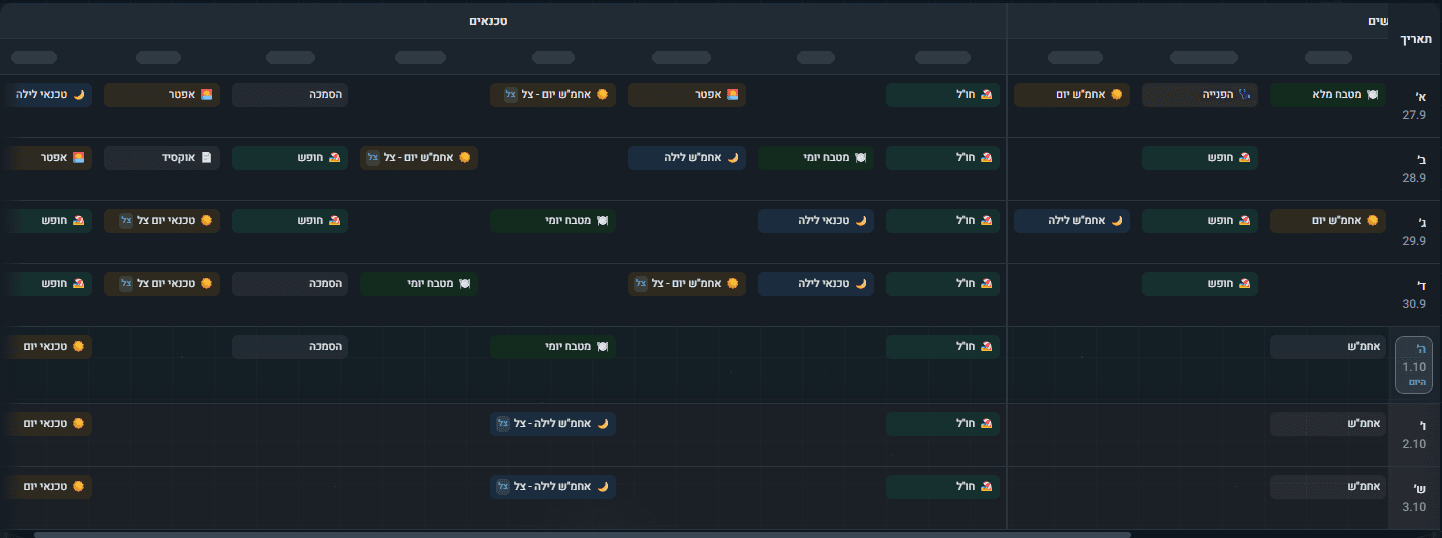
- By roleThe columns sit under role headings.
- Shifts, leave and dutiesEvery entry has a label of its own.
- TodayMarked in the day column.
04Management at a glance: A manager needs a different picture.
The manager area moves up a level: from one person and one team to the operation as a whole.
A snapshot of the schedule, the coverage and the team.
תמונת מצב של הסידור, הכיסוי והצוות.
Previous shiftWhen it ran, and its coverage.
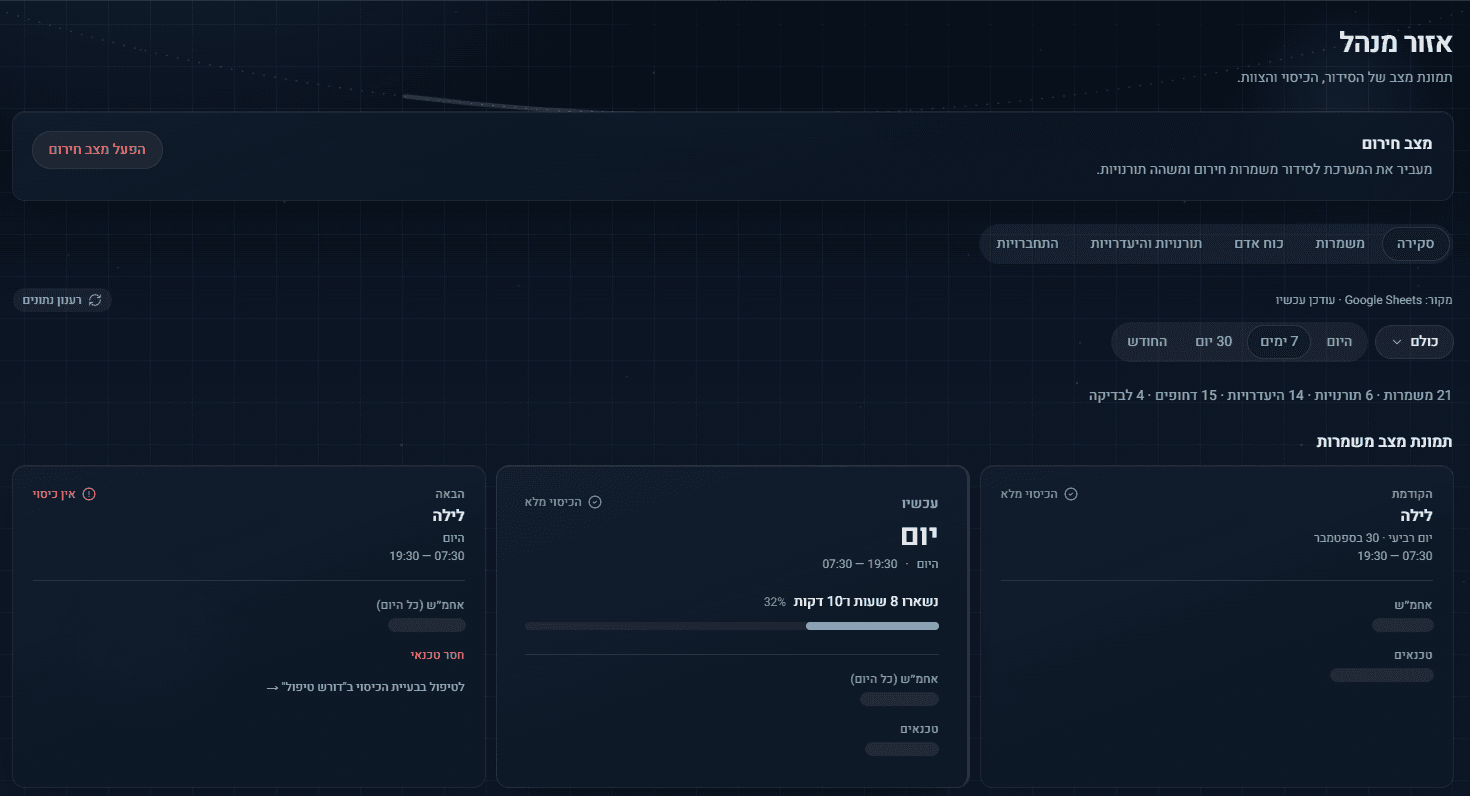
Current shiftIts coverage, and the time left in it.
Next shiftIts coverage, and what is missing.
05One system, different contexts: Designed to remain useful on a phone.
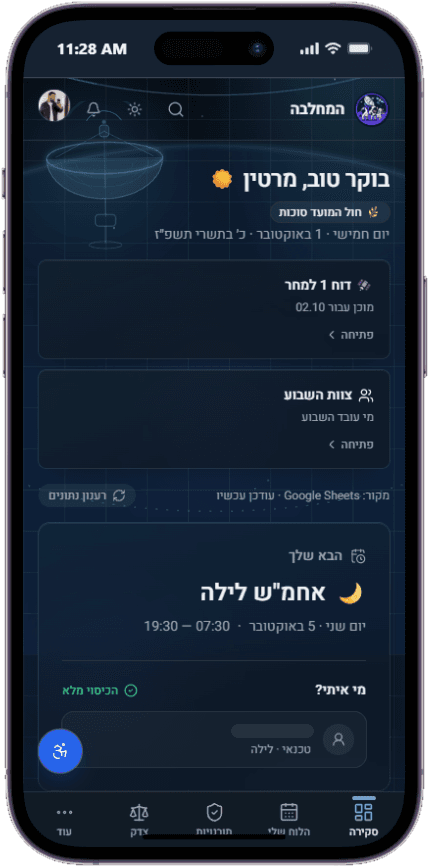
On a phone, Home keeps the same order as on the desktop. The main sections move to a bar along the bottom of the screen.
- The greeting and the date
- The report and Team Week, one above the other
- The next shift
- Who is on it, and the coverage
- The main sections, along the bottom
06Key decisions: Five decisions, each one visible in the product.
- 01
The next shift before everything else
On Home, the next shift is the largest card, set below the greeting and the two shortcuts, with its name in large type.
EvidenceHome - 02
The week as a shared view
Team Week brings the whole team into a single weekly view: every day a row, every person a column, and today marked.
EvidenceTeam Week - 03
Information grouped by role
The columns sit under role headings, with a divider between the groups. The same roles return in the manager area’s snapshot.
EvidenceTeam Week - 04
An operational snapshot for managers
The manager area’s overview sets the previous, current and next shift side by side, each with its coverage state.
EvidenceManager area - 05
The same hierarchy on a phone
On a phone, Home keeps its order: the greeting, the two shortcuts, then the next shift and who is on it.
EvidenceMobile
07System details: The mechanics, up close.
07.1Coverage in words, with an icon and a color: full coverage or none. 07.2Today, marked the same way on Home and in Team Week. 07.3A small label, the shift in large type, then the day and the hours. 07.4The time left in the current shift, in words and as a bar. 07.5Day and night shifts carry a sun or a moon. 07.6On a phone, the two shortcuts stand one above the other.
08Result: Many operational states, one working system.
המחלבה brings scheduling, management workflows and day-to-day operations into one system, with real interfaces on desktop and phone.
- 01Home
- 02Team Week
- 03Manager area
- 04Mobile
Also in the work
Defense Systems
Operational systems built for a defense environment. Identifying details and interfaces are intentionally withheld.
All work